Sunday, April 3, 2011
Recent Interactive Multimedia Blog Post Links
Call for Papers: Touch the Web 2011: 2nd International Workshop on Web-Enabled Objects
Links: Web of Things, Web Patterns and the EPC Cloud, Windows 8 Rumors, Human Centered Service Design
Virtual History of Rome for the iPad, Created with Unity
Program - CHI 2011 Child Computer Interaction: 2nd Workshop on UI Technologies and Educational Pedagogy


FYI: If you are new to this blog, my main blog is Interactive Multimedia Technology (IMT). I update this blog with links to posts on the IMT blog every month or so. I will resume this blog in this once I reduce my current workload.
If you are interested in technology, psychology, and education, take a look at my TechPsych blog.


INTERACTIVE TABLETOPS AND SURFACES 2011 CALL FOR PAPERS AND NOTES (6th Annual ACM ITS 2011 - Nov. 13-16)
| Best Paper: | Proxemic Interaction: Designing for a Proximity and Orientation-Aware Environment by Till Ballendat, Nicolai Marquardt, Saul Greenberg | |
| Best Note: | MudPad: Tactile Feedback and Haptic Texture Overlay for Touch Surfaces by Yvonne Jansen, Thorsten Karrer, Jan Borchers | |
| Best Poster: | A Multi-Touch Alignment Guide for Interactive Displays by Mathias Frisch, Ricardo Langner, Sebastian Kleinau, Raimund Dachselt | |
| Best Demo: | MudPad - A Tactile Memory Game by Yvonne Jansen, Thorsten Karrer, Jan Borchers |
| Best Paper: | Proxemic Interaction: Designing for a Proximity and Orientation-Aware Environment by Till Ballendat, Nicolai Marquardt, Saul Greenberg |
| Best Note: | MudPad: Tactile Feedback and Haptic Texture Overlay for Touch Surfaces by Yvonne Jansen, Thorsten Karrer, Jan Borchers |
| Best Poster: | A Multi-Touch Alignment Guide for Interactive Displays by Mathias Frisch, Ricardo Langner, Sebastian Kleinau, Raimund Dachselt |
| Best Demo: | MudPad - A Tactile Memory Game by Yvonne Jansen, Thorsten Karrer, Jan Borchers |
Daniel Wigdor, one of the ITS 2011Program Co-chairs, co-authored the following book with Dennis Wixon. The book has not yet been released.
Brave NUI World: Designing User Interfaces for Touch and Gesture

Note: This post includes links, please let me know of anything I should correct.
Tuesday, November 2, 2010
More links to posts, videos, and pics about interactivity, NUI, HCI, interactive infoviz, multitouch, UX...
Below are links to some of my recent posts about natural user interaction and interfaces (NUI), table-top and surface computing, human-computer interaction (HCI), user experience/ interaction design, educational technology, games, and more. Most of the posts contain pictures, videos, and/or interesting links.
EyeTube for YouTube! Eye-gaze interaction software, free and downloadable from GazeGroup
Open-source Eye-tracking: The ITU Gaze Tracker 2.0 Beta, Via Martin Tall, NUI Group Member
3D Browser-based Science Games from Muzzy Lane: T...
- Microsoft is acquiring Canesta, Inc., a developer ...
- Technology and Education, a Temporal Approach -Lin...
- Philipp Geist: Blending the Physical with the Dig...
- Interactive Timelines using Timemap.js (via O'Rei...
- Transmedia Storytelling, Interactive Multimedia, &...
- Augmented Reality Eyeglasses: I AM geeky enough to...
- Technology, Entertainment, Design, and More: Vide...
- TEDx Charlotte (NC) Videos
- SepiaTown: View and Share Mapped Historical Images...
- PRIVACY AND THE INTERNET: A HELPFUL VENN DIAGRAM v...
- Journalism in the Age of Data, by Geoff McGhee ".....
- Quick Link: 3M Invests in Perceptive Pixel, Jeff ...
- Screen Future: The Future of Entertainment, Comput...
- Emerging Interactive Ed. Tech: Classmate Assist an...
- FYI: Top Interactive Multimedia Technology blog po...
- End of GOOG-411, Google's "phoneme harvesting oper...
- "Out My Window", a web-based, interactive 360-degr...
- Information Visualization for the People: The End ...
- Words of Wisdom (and more) from Harry Brignull: U...
- Online Physics Games for Interactive Whiteboards a...
- In Honor of Benoit Mandelbrot: Fractals on the Web...
- Benoit Mandelbrot: A Patterned Way of Viewing Life...
- "Animate" Graphic Presentation: Sir Ken Robinson's...
- Oh! No! Sony's "Mother of Remote Controls" for Goo...
- Update on Josh Blake, newly designated Microsoft S...
- Power to the Pixel Cross-Media Forum Streaming Liv...
- Cool Sci/Tech News in my Local Paper! (Links, vide...
- Designing for Multitouch Tables and Surfaces, by E...
- Project: Interact "Invent, Design, Change" - A 10...
- Michael Ogawa, Data Visualization Researcher, VIDI...
- Interview of Gillian Hayes: Interactive Visual Supports...
- Reactable Mobile - Music Creation and DJ-ing On-th...
- Light Space: Interaction with digital content acr...
- Child-Computer Interaction: A Featured Community a...
Links to posts, videos, and pics related to interactivity and technology
Tuesday, November 24, 2009
Great Blogs about Natural User Interfaces: Joshua Blake Deconstructing the NUI & Jonathan Brill : Multitouch Maven_ (Point and Do)
Josh Blake is a .NET, SharePoint, and Microsoft Surface consultant for InfoStrat, located in Northern Virginia. If you are interested in natural user interfaces, you'll appreciate his blog, Deconstructing the NUI He posts only a few times a month, but what you'll find is thoughtful insight regarding natural user interfaces that rely on multi-touch or gesture interaction.
Here are a few of Josh's posts:
The Natural User Interface Revolution
Pleasing the Brain with Magical Interfaces
Deconstructing: SilverPAC's Multi-Touch Website
Limiting the Multi-touch Vocabulary
Jonathan Brill is an independent consultant who focuses on multitouch product strategy, design, and development, and previously served as an embedded consultant at Microsoft Surface. His blog, Multitouch Maven, provides a wealth of information regarding multi-touch and gesture interaction and interfaces.
Here are a few of his posts:
New Multitouch Interface Conventions
Creating Intuitive Gestures Using Object Orientation
Using Auras to Maintain User Orientation
Monday, January 19, 2009
Touch Screen Interaction in Public Spaces: Room for Improvement if "Every Surface is to be a Computer"!
With Win7's "multi-touch" capabilities, Bill Gate's statement that every surface will be a computer might come true, but from what I can see, we have a long way to go before we get it right!
One of the concerns I have about "touch" screen interaction in public spaces is that not much thought is given to the environmental factors surrounding the system. The system that is tested for the first time after installation might work just fine, but not when it is put to use under a variety of conditions or situations.
EXAMPLES (I've recycled a few of these from previous posts.)


Below is a shot of my husband, trying to see what is on the screen. This photo shows exactly what the screen looked like at the time:

The next picture tells it all. You can see that there is some sort of alphabet on the right side of the screen, but the reflection of my husband is easier to see. We couldn't figure this one out.

The following clip demonstrates how environmental concerns, such as wind and "sideways" rain, can make an interactive display at a shopping center difficult to use. During this clip, you can hear me muttering about the difficulties I had interacting with the information on the touch-screen display. It is possible that the system wasn't working well because of the exposure to the elements.
In my opinion, an interactive wayfinding application should run on a larger display and support two or more people, since many hospital visitors often run in pairs or small groups.
Sunday, November 16, 2008
Every Surface a Computer: "Scratch" - Capturing Finger Input on Surfaces using Sound. (Chris Harrison and Scott Hudson's Video - UIST '08)
Chris Harrison and Scott Hudson, from the Human-Computer Interaction Group at Carnegie-Mellon University, presented their latest research at the UIST '08 conference. Take a look at the video below to see how gestures that result in sounds can can transformed on unpowered finger input surfaces, using a stethoscope sensors and filters:
Yes, every surface is a computer!
(Even your pants...)
For detailed information, read the paper presented at UIST '08 by Chris Harrison and Scott E. Hudson:
Scratch Input: Creating Large, Inexpensive, Unpowered, and Mobile Finger Input Surfaces
RELATED:
The Best Paper Award at UIST '08 was "Bringing Physics to the Surface", by Andrew Wilson, of Microsoft Research, and Ahahram Izadi, Otmar Hilliges, Armando Garcia-Mendoza, and David Kirk, of Microsoft Research, Cambridge.
Here is the abstract:
"This paper explores the intersection of emerging surface technologies, capable of sensing multiple contacts and of-ten shape information, and advanced games physics engines. We define a technique for modeling the data sensed from such surfaces as input within a physics simulation. This affords the user the ability to interact with digital objects in ways analogous to manipulation of real objects. Our technique is capable of modeling both multiple contact points and more sophisticated shape information, such as the entire hand or other physical objects, and of mapping this user input to contact forces due to friction and collisions within the physics simulation. This enables a variety of fine-grained and casual interactions, supporting finger-based, whole-hand, and tangible input. We demonstrate how our technique can be used to add real-world dynamics to interactive surfaces such as a vision-based tabletop, creating a fluid and natural experience. Our approach hides from application developers many of the complexities inherent in using physics engines, allowing the creation of applications without preprogrammed interaction behavior or gesture recognition."
Preparation for the Internet of Surfaces & Things?
Thursday, November 6, 2008
Multi-touch, Gestures, Holograms, Oh My!
I've been posting quite a bit about emerging technologies lately on my Interactive Multimedia Technology blog, with lots of photos and video clips. Why? There has been quite a surge lately as new technologies move mainstream, much to my delight.
Microsoft's next operating system, Windows 7, allows for multi-touch and gesture recognition, and with this support, developers and harddware manufacturers are moving ahead. PDC 2008 (Professional Developer's Conference) and WinHEC 2008 (Windows Hardware Engineering Conference) included lots of multi-touch and gesture-based demonstrations. At the same time, CNN's multi-touch magic map wall gained more recognition during a Saturday Night Live parody by Fred Armisen. CNN took emerging technology to the masses on election night via video holograms.
Here are links to some of my recent posts:
Multi-Touch News from WinHEC and PDC
CNN's Holographic Technology: Wolf Blitzer and Jessica Yellin, Anderson Cooper and Will.I.Am, and the Music Video
Searching for Multi-Touch Info? Drivers for Windows 7 available from NextWindow &HP TouchSmart... More about N-Trig....Multi-Touch Resources
Emerging Technologies: SHiFT 08 Conference- Sensor Networks and Data for the Open Internet of Things
Emerging Interactive Technologies: SecondLight from Microsoft, at PDC 2008
Steven Sinofsky Discusses Multi-touch and the HP TouchSmart, Windows 7, and more at PDC 2008
Grafiti - a multi-touch, table-top, surface computing application, from a member of the NUI group
Multi-touch Parody of CNN's Magic Map Wall: Saturday Night Live's Weekend Update MegaPixel Giant Touch-map
The atracTable Multi-Touch System from Atracsys
Most of my October blog posts
Saturday, October 25, 2008
SNL's Multi-touch Parody of CNN's Interactive Touch Screen Magic Map Wall
Via Interactive Multimedia Technology
Most viewers familiar with CNN news know about the "Multi-Touch Collaboration Wall", or Magic Wall, used by John King. David Borhman, a CNN producer, was describes the purpose of the Magic Wall in a quote in a Washington Post article:
"It's a stupendous way to explain a lot of complicated data"..."Fundamentally, our job is to explain things to people, and we need it visually. This lets us do it naturally, without a keyboard or mouse getting in the way....Once you see it, you get it instantly."
This would be fun to play with- for just about everyone! If you don't have ready access to a "magic wall", take a look Fred Armisen's playfulness in a recent Saturday Night Live parody of the CNN Magic wall:
Video clip via Hulu
Partial Transcript:
"One thing we are going to look at is Pennsylvania..Have a very good look at Harrisburg.....Get in really close to this. Back a bit, back a little bit, excellent"
"Now the country can be moved up and down, like so....We can also shrink it and put it in your pocket if you need to."
"You can always change the colors. You got blue, blue again, a little bit of red...right over there, a little bit of blue of course, if you want to make something out of green, you got a little face there, some whiskers, we can ..... make a cat. Notice the triangle nose!"
"Let's look at Ohio. Lets look at the Cleveland area. Lets look really really close. Really close. Really really close, You can see the top of a warehouse. We're really going to want look at that. Very, very important, were going to want to look at that."
"You can take Oregon, lets move it out into the ocean. It will be completely surrounded by water. That's very, very dangerous."
"And here is New York.... New York was there in 2004, and you can shake it around like that.. (shakes New York)"
"Actually, what I'm doing is very important, and informational"
"OK, Fred, stop goofing around..."
Fred turns to the map, and with both hands, moves all of the states out of place.
Photo via engadget
"Check out Michigan... I can make it bounce!" (Drags down Michigan on the map, it bounces up and down once it reaches the bottom of the map.)
Rumor has it that Jeff Hans, of Perceptive Pixel, was responsible for the SNL version of the Magic Touch-Wall map.
Saturday, August 30, 2008
Link to "Internet of Surfaces" Photo Examples
Here is a link to a wide assortment of photos that provide examples of what an "Internet of Surfaces" might look like:
INTERNET OF SURFACES: Photo Examples of Screens of All Sizes
Some of the photos are from my team projects. Other photos are from the Microsoft Surface website, NUI-Group members, and odds and ends from other sources.
Saturday, July 19, 2008
Resources for Multi-touch, Gesture Interaction , and Surface Computing (and thoughts about how this might impact computer science instruction)
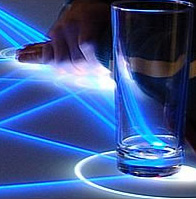
Looking for more information about multi-touch, gesture interaction, and surface computing?
Here are a couple of links:
- Post highlighting Harry van der Veen, from Natural User Interface Europe AB, with a link to a video presentation of his overview of multi-touch technologies and gesture interactions. The post contains several related links, including presentations about interaction and new technogies from the recent Business to Buttons conference.
- Post by "tony", on the Computer Science Canada blog, about the use of vvvv and the development of an intelligent tracking system. Although the post was written a while ago, it contains some good links. The CompSci.Ca/blog contains a wealth of information useful to students and people who work in computer science and related fields.
This got me thinking a bit. How will this sort of programming impact what is taught in high school and university computer courses? Keeping Students Interested in Computer Science is a must-read for computer science teachers and those of you who are concerned about the decline in the numbers of students pursuing further education in computer science and related fields.
I found the post on the CompSci.Ca blog. The author, Clayton Shier, is a high school student who has more than few words of wisdom about this topic.
The discussion generated by Clayton's post is worth the time exploring. I thought this comment to Clayton's post was especially interesting:
"My teacher though is a boring fellow too, and I’m not sure he’s completely up on programming. He’s not as bad as the stereotypical Computer Science teacher, but still not the best either. I was talking to him the other day, and I mentioned something about design patterns, and he said he didn’t know what I was talking about."
These high school students are probably ready to learn about programming for multi-touch applications and other emerging technologies, and others with no previous programming experience might be enticed to stay in their courses if the curriculum was meaningful. We can't afford to lose them.
If high school computer science teachers aren't up-to-date with traditional programming methods, they are not likely to explore programming methods for emerging technologies. How does this bode for the future?!
Thursday, June 19, 2008
Interesting Technology: InfiniTouch Expands the Concept of Touch-Screen Interaction
I just learned about an interesting form of touch-technology that works on a variety of surfaces and materials. Someone from the company behind InfinityTouch left a message on one of my blog posts, and thought readers would be interested in learning more about it. I agree. Here is the link the post: Hands On Computing: How Multi-Touch Screens Could Change the Way we Interact with Computers and Each Other (link to Scientific American Article)
Here are a couple of videos about this technology, called InfiniTouch, by QSI Corporation.
Force Panel Touch Screen Gas Pump
In this example, items can be ordered and paid for from the pump, such as a DVD, food, coffee drinks.
InfinitiTouch Music Kiosk
This explains how the technology behind the kiosk works. The material is rugged and weather-proof. The interesting thing with this technology is that the touch-sensitivity is not limited to the screen. The rest of the surface can be touch-enabled, even the frame!
According to an article about InfiniTouch from 2007,on the eMediaWire website, InfiniTouch has many useful features:
- - Capable of dynamic self calibration
- - Scalable to any size, proven up to 1.2 meters
- - Supports two-sided display
- - Usable with various elevations: flat plane, curved surface, 3-D surface,projected surface, or a surface with holes, such as a speaker
- - Highly light transmissive
- - Touchable with a finger, gloved hand, stylus, or other object
- - Operable when covered with ice, water, dust or debris
- - Capable of capturing signatures
InfiniTouch senses force as the z-axis. Items that raise above the frame can also be touch-enabled. It can sense touch on 3D surfaces, as well as curved and irregular surfaces. It is designed to withstand public outdoor use. At the present time, it does not support multi-touch interaction.
Additional Information:
Video: InfiniTouch Introduction (This video demonstration will give you an idea of the tactile "touchy-feely" possibilities of this technology.)
Wall Panels Video (This video provides examples of how the technology can be used in public spaces.)
How It Works
Sensing Touch by Sensing Force pdf
Sunday, June 15, 2008
Multi-touch Tables and Displays - Search for Flexible Designs: I might just have to build my own!
For more information on this topic, see my posts on the Interactive Multimedia Technology blog:
DigiBoard Multi-Touch Mixed Reality Game; Ideas for future design of a flexible, adjustable multi-touch surface..
Emerging Interactive Technologies, Emerging Interactions, and Emerging Integrated Form Factors
If you know of anyone working on an adjustable "surface" that can be positioned upright, horizontally, and at an angle, please let me know.I might just have to take my designs and build my own!
Monday, May 26, 2008
More Multitouch: NUI Group's Christopher Jette's multi-touch work featured in Engaget ; Croquet?

Christopher Jette, a member of the NUI Group, was featured in a recent article in Engadget about his DYI multi-touch project on a large rear-projection TV.
Here is the video:
Christopher Jette's multi-touch project "how to" on the Instructable website. Great work, Christopher!
Related...
I am wondering how applications built with Croquet or EduSim would play out on this sort of screen. Croquet is an open source metaverse software development environment that is a work in progress. Here is the video description:
I've played around with Croquet on a single-touch screen and it was fun to use. Croquet powers EduSim, an application that is used on interactive whiteboards with children. The "paint" capabilities of the application makes it easy to draw something in 2-D. When you move your drawing into the background, it automatically turns into 3D, and with a little bit of scripting, it moves around.
"Derived from Squeak, it (Croquet) features a peer-based network architecture that supports communication, collaboration, resource sharing, and synchronous computation between multiple users on multiple devices."
I haven't had time to experiment with the multi-user capabilities of Croquet - maybe this summer!
Croquet is derived from Squeak.
Croquet videos.
Saturday, May 24, 2008
More of Microsoft's Andy Wilson: Video of Surface Multi-Touch Computing
More multi-touch from Microsoft Research:
Andy Wilson's demo videos of his experimental work with multi-touch computing at Microsoft Research, from East Company Live. He answers questions and explains touch-screen technologies, interaction techniques,and the upcoming IEEE conference on Tabletop Computing this October. In Part III, Wilson mentions a DYI algorithm for image-processing in a paper from an ACM UIST conference:
Part I
PART II
PART III
I want this sort of technology in my hands because I think it would help special needs children in many ways. The table or drafting board form supports collaboration, communication, and it also might be good for cooperative learning projects. Microsoft's Social Computing Group is working on several applications that might be appropriate for surface computing, if properly adapted.
Meridith R. Morris, a researcher in the Adaptive Systems and Interaction Group at Microsoft, worked on a cooperative game for developing social skills among middle school students who had Asperger's Syndrome, an autism spectrum disorder, when she was a graduate student at Stanford.
SIDES: A Cooperative Tabletop Computer Game for Social Skills Development pdf
I know from my work as a school psychologist that more tools are needed to ensure that all children have access to engaging, meaningful learning experiences. Interactive whiteboards are great, but they are no substitute for a collaborative table!
I've been working on my own touch-screen "experiments" and ideas for over a year now, and would welcome the opportunity to test things with potential end-users, on a variety of displays and multi-touch formats. I think it would essential to develop and test multi-touch applications out of the lab.




